













 Back to Blogs
In short: The project management trends that matter in 2026 are less about new methodologies and more about how everyday delivery work gets coordinated. Seven shifts stand out: AI assistance built into project tools, automation of routine status work, hybrid (predictive plus agile) delivery, distributed and asynchronous teams, time and cost tracked at the project level, fewer tools with connected data, and transparent, well-managed adoption. The practical takeaway for most teams is to keep plans, tasks and actual hours in one place, so decisions are based on real effort rather than estimates.
What are the biggest project management trends in 2026?
- AI assistance moves inside the project tool: drafting plans, summarising updates and flagging overdue work.
- Automation takes over routine coordination: reminders, recurring tasks and status reports run on rules instead of meetings.
- Hybrid methodologies are the default: teams mix milestone-based plans with agile boards and iterations.
- Distributed, asynchronous delivery is normal: written briefs and shared dashboards replace constant status calls.
- Time and cost are tracked per project: timesheets are tied to tasks so planned and actual effort can be compared.
- Fewer tools, connected data: plans, hours and attendance sit together instead of being reconciled by hand.
- Transparent monitoring and deliberate change management: new tools are rolled out with clear policies and explained to the team.
None of these are brand-new ideas. What has changed is that they are now practical for ordinary teams, not just large PMOs, because the capabilities ship inside mainstream software. The sections below explain each shift, where it helps, and where its limits are.
1. AI assistance moves inside the project tool
Generative AI features are now common in project and collaboration software. Typical uses include turning a project brief into a first-draft task list, summarising long comment threads or meeting notes, drafting status updates and highlighting tasks that are overdue or slipping.
Where AI helps and where it does not
AI is most useful for low-risk drafting and summarising work that eats a project manager's time. Predictive features such as risk scoring or resource suggestions depend heavily on the quality of historical data. If estimates, actual hours and task statuses are incomplete, those predictions will be unreliable. Treat AI output as a first draft to review, not a decision. Before enabling AI features, check where project data is processed and who can see it.
What to do: start with summaries, meeting notes and draft plans. Keep decisions on scope, budget and people with the project manager.
2. Automation takes over routine coordination
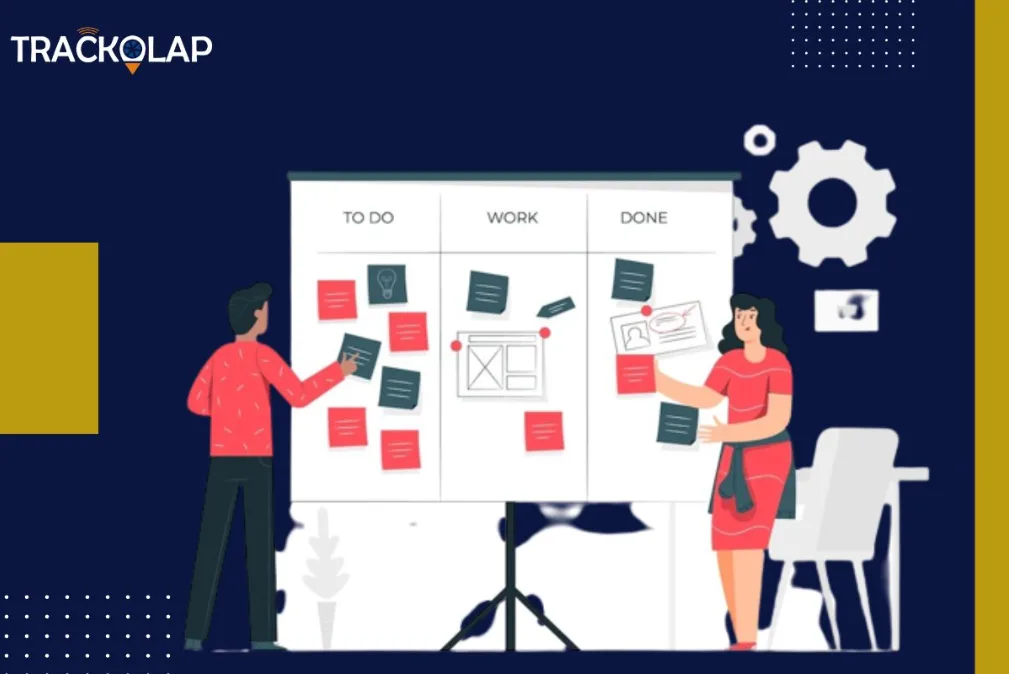
A large share of project management effort goes into chasing updates: reminding people about deadlines, asking for status and compiling reports. Rule-based automation now handles much of this work. Examples include recurring tasks, due-date reminders, notifications when a task changes status and scheduled reports sent to stakeholders.
Automation works best on processes that are already stable. Automating a messy process usually produces more notifications, not better delivery. Structured task management software gives you clear owners, due dates and statuses, which automation rules can then act on reliably.
3. Hybrid methodologies become the default
Few teams run pure Waterfall or pure Scrum. A common pattern is a milestone-based plan for the overall project (phases, dependencies, a Gantt timeline) combined with agile boards and short iterations for the work inside each phase. PMI's PMBOK Guide reflected this shift in its seventh edition (2021). It moved from prescribing processes to principles and tailoring, and it treats predictive, adaptive and hybrid development approaches as legitimate choices depending on the project.
The tooling implication is simple: your software should support both a timeline view for planning and a board or list view for day-to-day execution, without forcing the team to maintain two separate systems.
4. Distributed and asynchronous delivery is the normal operating model
Teams increasingly work across offices, homes, client sites and time zones. Remote collaboration used to be treated as a special case. It is now the default design assumption. Teams that work well asynchronously tend to share a few habits:
- Decisions and requirements are written down in the project record, not left in chat or calls.
- Every task has one clear owner and a due date.
- Progress is visible on a shared dashboard, so status meetings can focus on blockers.
- Core overlap hours are agreed for work that genuinely needs live discussion.
These habits also help multi-generational and multicultural teams, because written context reduces dependence on any single communication style. For a deeper look at the remote side, see our guide to managing project work in remote teams and TrackOlap's remote team management software.
5. Time and cost are tracked at the project level
Estimates are only useful if you can compare them with what actually happened. More teams now log time against specific projects and tasks, either through daily timesheets or automated time tracking. This gives project managers:
- Planned vs actual effort, which improves future estimates.
- Project cost to date, based on hours spent, for budget control.
- Billing accuracy for client and agency work.
- Workload visibility, showing who is overloaded before a deadline slips.
The limitation is data discipline. Time data only helps if it is recorded consistently and people understand why it is collected. Employee time tracking software reduces manual entry, and our article on why businesses need employee time tracking covers how to introduce it.
6. Fewer tools, connected data, better decisions
"Data-driven decision making" has been a trend headline for years. The 2026 version is more practical: reduce the number of places project data lives. When plans sit in one tool, hours in a spreadsheet and attendance in an HR system, someone has to reconcile them before any decision can be made. Consolidating these, or at least connecting them, is often the fastest way to get reliable reporting.
The metrics most teams actually use are straightforward: planned vs actual hours, overdue tasks, workload per person, and cost to date against budget. If your current setup cannot produce these without manual work, that is the gap to fix first. Linking project records with attendance and leave data also helps explain capacity: a missed milestone during a leave-heavy week is a planning issue, not a performance issue.
7. Transparent monitoring and deliberate change management
Many workforce and project tools now include activity features such as application and website usage or screenshots. The trend in 2026 is to use them transparently. Tell people what is collected and why, limit collection to what the purpose requires, and use the data to remove blockers rather than to micromanage. Organisations in India should also review how employee personal data is collected and explained in light of the Digital Personal Data Protection Act, 2023, taking legal advice where needed.
The same thinking applies to adopting any new tool. Resistance to change is normal. Successful rollouts explain the reason for the change, start with a pilot team, train people on the few features they will actually use, and measure adoption before expanding. If you use an employee monitoring system, publish the policy before switching it on.
What should project managers do about these trends?
- Audit your current stack. List where plans, tasks, hours and attendance live, and how many manual steps it takes to answer "are we on budget?"
- Pick one AI use case. Summaries or draft plans are a low-risk starting point. Review the output before sharing it.
- Automate one recurring chore. Status reminders or a weekly report are good first candidates.
- Tie time to tasks. Even rough task-level time data beats project-level guesses.
- Keep the human side. Tools do not replace leadership. Use one-to-one check-ins to understand workload, blockers and wellbeing, not just task status.
How do you choose project management software in 2026?
If these trends point to a tooling change, evaluate candidates against your real workflow rather than feature lists. Useful selection criteria:
- Delivery approach: does it support both timeline (Gantt) planning and board or list execution?
- Time tracking: can people log time against tasks, and can you see planned vs actual effort?
- Cost reporting: can it show time and cost per project without exporting to a spreadsheet?
- Workload visibility: can managers see who is overloaded across projects?
- Remote readiness: does it work well for distributed teams, including mobile access where needed?
- Data and access control: can you control who sees what, and export your data?
- AI features: are they useful for your team, reviewable, and clear about how data is handled?
- Total cost: check per-user pricing, required add-ons and setup effort.
Test with a real project during a trial or demo, not a sample one. For a feature-by-feature checklist, see the features that matter in a project management tool.
Spreadsheets vs task tools vs integrated project platforms
| Option | Best for | Strengths | Limitations |
|---|---|---|---|
| Spreadsheets | Very small teams and one-off projects | Flexible, familiar, low cost | Manual updates, version conflicts, no automatic time or status data |
| Task and board tools | Teams that mainly need to organise and assign tasks | Quick setup, simple collaboration, board and list views | Time, cost and attendance often live in separate tools or add-ons |
| Integrated project and workforce platforms | Teams that need projects, timesheets, cost and attendance together | Planned vs actual effort and project cost in one record; fewer tools to reconcile | More setup; activity-monitoring features need a clear, communicated policy |
| Enterprise PPM suites | Large portfolios run by a formal PMO | Portfolio planning, resource and financial management at scale | Higher cost and longer implementation; can be heavy for smaller teams |
Where does TrackOlap fit?
TrackOlap's project management system is part of its remote team management suite and falls into the integrated category above. You can add clients and projects, break projects into tasks, assign them from a task board, plan on a Gantt view, collect employee timesheets, and report the total time and cost spent on each project. Because it sits alongside TrackOlap's time tracking, activity monitoring and attendance modules, project records can draw on the same workforce data rather than a separate spreadsheet.
It is a good fit for service, IT, operations and client-project teams, especially distributed ones, that need to know where hours and costs are going. If your main need is highly specialised, such as deep software-engineering workflows, confirm during a demo that the workflows you depend on are covered. You can compare plans on the remote team management pricing page or request a demo using one of your live projects.
Frequently asked questions
What are the top project management trends for 2026?
The main trends are AI assistance built into project tools, automation of routine coordination, hybrid (predictive plus agile) delivery, distributed and asynchronous teamwork, time and cost tracked at the project level, consolidation of tools and data, and transparent, well-managed adoption of monitoring and new software.
Will AI replace project managers?
AI is useful for drafting plans, summarising updates and flagging overdue work, but its output still needs review and depends on good project data. Decisions on scope, budget, priorities and people, as well as stakeholder management, remain the project manager’s job.
What is hybrid project management?
Hybrid project management combines a predictive, milestone-based plan for the overall project with agile practices such as boards and short iterations for the work inside each phase. It lets teams keep dates and dependencies visible while adapting day-to-day work.
Why does time tracking matter in project management?
Logging time against projects and tasks lets you compare planned and actual effort, see project cost to date, bill clients accurately and spot overloaded team members early. It only works if time is recorded consistently and the team understands why it is collected.
What should I look for in project management software in 2026?
Look for timeline and board views, time tracking linked to tasks, project cost reporting, workload visibility, good support for remote teams, access controls and data export, AI features you can review, and a clear total cost. Test it with a real project before committing.
How can teams use activity monitoring without hurting trust?
Tell employees what is collected and why, limit collection to what the purpose requires, publish the policy before switching features on, and use the data to remove blockers rather than to micromanage. Organisations in India should also review their practices against the Digital Personal Data Protection Act, 2023.



 D-5, Logix Infotech Park, Sector 59, Noida - 201301, Uttar Pradesh (India)
 contactus@trackolap.com
 7011494501






 Demo
at free of cost
Demo
at free of cost